



Exchange BTC to ETH
Swap Bitcoin to Ethereum directly from your wallet with transparent rates and full control over your funds.
Trusted by 15,000,000 users worldwide

Bitcoin (BTC)
Ethereum (ETH)
Circulating supply:
...
Circulating supply:
...
Volume 24h:
...
Volume 24h:
...
Price:
...
Price:
...
Main Features

Fast transactions
Each exchange takes only ~5-20 minutes.

100+ assets
Exchange 100+ crypto pairs in a secure interface

24/7 live chat support
We are always ready to help you!
How to exchange btc to eth

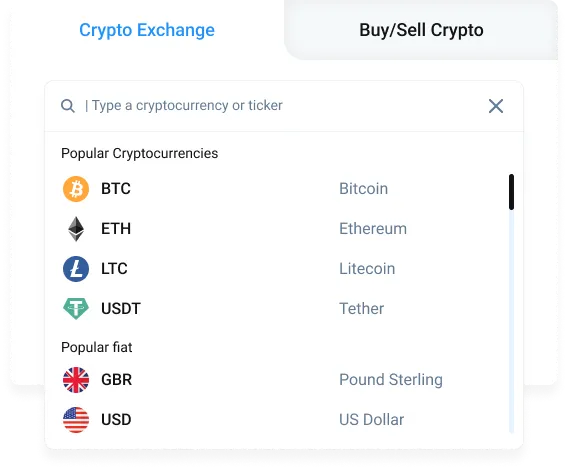
Step 1 — Choose the exchange pair
In the “You Send” field, select BTC and enter the amount you want to swap. Then, in “You Get”, choose ETH to see the estimated rate and proceed to the next step.
Step 2 — Add your Ethereum address
Enter the ETH wallet address where you want to receive the funds. Make sure the address supports Ethereum and double-check it before continuing to avoid any issues with delivery.
Step 3 — Send BTC and receive ETH
Transfer Bitcoin to the provided address and wait for the network confirmations. Once the transaction is confirmed and the swap is processed, Ethereum will be sent directly to your ETH wallet.
Watch video guides


FAQ
What is BTC to ETH exchange?
BTC to ETH exchange is the process of converting Bitcoin into Ethereum at the current market rate without using a centralized trading platform. The swap is completed directly from your wallet.
How long does it take to swap BTC to ETH?
The swap time depends on Bitcoin network confirmations. In most cases, BTC to ETH exchanges are completed within minutes, but delays may occur during periods of high network congestion.
Is it safe to exchange BTC to ETH?
Yes. When using a non-custodial wallet, your private keys remain under your control, and the swap is processed without giving custody of your funds to third parties.
Do I need to register or complete KYC to swap BTC to ETH?
No registration or identity verification is required. You can exchange BTC to ETH directly from your wallet without creating an account.
Can I track my BTC to ETH swap?
Yes. You can track the status of your swap directly in the transaction history, including confirmation progress and final completion.
Trusted Reviews





Download Atomic Wallet

Windows

MacOS

Ubuntu

Debian

Fedora
Windows support update
Atomic Wallet Desktop supports Windows 10 and 11 only. Windows 7 and 8 are no longer supported.



What Is BTC to ETH Exchange?
BTC to ETH exchange is the process of converting Bitcoin into Ethereum at the current market rate using a crypto swap service. This type of exchange allows users to move value from the Bitcoin network into the Ethereum ecosystem without relying on centralized trading platforms. Instead of creating accounts or placing orders, users can complete the conversion directly from their wallet.
Swapping BTC to ETH is commonly used by traders, long-term holders, and DeFi users. Bitcoin holders convert BTC to ETH to access smart contracts, decentralized applications, staking opportunities, and the broader Ethereum-based financial ecosystem.
How the conversion works
The conversion is completed through an instant swap mechanism. You select Bitcoin as the asset you send and Ethereum as the asset you receive, enter the amount, review the exchange rate, and confirm the transaction. Once initiated, the swap is processed automatically through liquidity providers and blockchain networks.
Bitcoin is sent from your wallet, and Ethereum is delivered directly to your ETH address after the required network confirmations. The entire process runs without order books, manual approvals, or trading interfaces.
Why users convert BTC to ETH
Users convert BTC to ETH for several strategic reasons. Ethereum enables access to decentralized finance, NFTs, staking, and on-chain applications that are not available on the Bitcoin network. Moving from BTC to ETH allows users to actively deploy capital instead of holding it passively.
Additionally, traders may convert Bitcoin to Ethereum to rebalance their portfolio, follow market trends, or respond to changes in relative asset performance.
Fees for Converting BTC to ETH
Network fees
BTC to ETH swaps include blockchain fees on both the Bitcoin and Ethereum networks. Bitcoin fees depend on network congestion and transaction size, while Ethereum fees are influenced by current gas prices.
Exchange fee structure
The exchange fee is included in the swap rate displayed before confirmation. This ensures transparency and allows users to see the final amount of ETH they will receive without hidden charges.
How to minimise costs
To reduce conversion costs, users often swap during periods of lower network activity and avoid splitting the swap into multiple small transactions.
Why Swap BTC to ETH with Atomic Wallet
Security features
Atomic Wallet operates as a non-custodial wallet, meaning users retain full control over their private keys throughout the swap process. Funds are never held by third parties.
This design reduces counterparty risk and ensures that only the wallet owner can authorize transactions.
Speed of processing
BTC to ETH swaps are processed automatically once initiated. The system handles the exchange flow efficiently as soon as network confirmations begin.
No hidden charges
All fees and exchange rates are shown before the swap is confirmed. The amount of ETH displayed during confirmation is the final amount you receive.
Private, non-custodial exchange
No registration, identity verification, or account creation is required. Users can exchange BTC to ETH directly from their wallet while maintaining privacy.
How BTC to ETH Swap Compares to Other Methods
Using exchanges
Centralized exchanges typically require users to create accounts, complete KYC verification, and deposit funds before trading. This introduces additional steps and custodial risk.
Using P2P platforms
P2P platforms rely on matching buyers and sellers, which can lead to delays, price differences, and trust-related risks.
Using automated swap services
Automated swap services offer fast swaps but usually require sending funds to external addresses. Atomic Wallet keeps the entire BTC to ETH swap process within a secure, self-custodial environment.


