



Tron (TRX) wallet
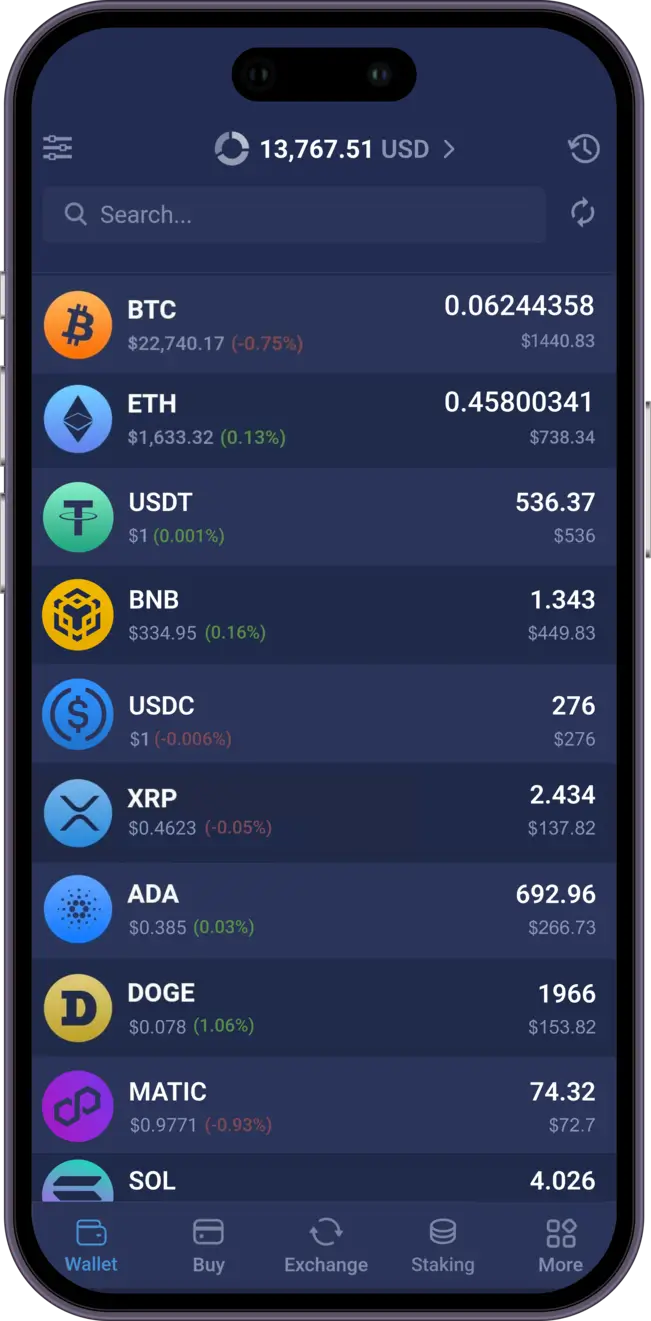
Manage your Tron, Ethereum, XRP, Litecoin, XLM and over 1000 other coins and tokens.
 Download Tron Wallet

Trusted by 15,000,000 users worldwide



What Our Customers Say
Rated 4.9 out of 5 stars from 27,424 happy customers!
![[object Object]](/images/reviews/review_1.webp)

![[object Object]](/images/reviews/review_2.webp)
![[object Object]](/images/reviews/review_3.webp)
![[object Object]](/images/reviews/review_4.webp)
![[object Object]](/images/reviews/review_5.webp)
![[object Object]](/images/reviews/no-avatar.webp)
Why Choose Atomic Tron wallet

Private
No registration and KYC required to use the app. We don't track your data

Secured
Your private keys are encrypted and never leave your device. Only you have control over your funds

24/7 Online Support
Fast support for your needs. Live chat and email support for customers from all over the globe.
Download Atomic Wallet

Windows

MacOS

Ubuntu

Debian

Fedora
Windows support update
Atomic Wallet Desktop supports Windows 10 and 11 only. Windows 7 and 8 are no longer supported.



TRON (TRX) Wallet
A TRX (TRON) wallet and other crypto wallets are an application or devices designed to store users' TRX private keys securely. These private keys are essential for signing transactions, enabling the transfer of crypto assets between wallets or platforms. Various types of TRON wallets exist, each offering its advantages and drawbacks. Before delving into specific wallet details, let's explore the TRON blockchain and understand its fundamental aspects.
TRON ecosystem
Background
The project was founded by Justin Sun, the creator of the Peiwo app - a Chinese alternative to Snapchat that already has more than 10 million users. Justin Sun works with Feng Li (advisor of Ripple) and is listed in the Forbes Asia Top-30 list. TRON ecosystem is run by experienced blockchain enthusiasts previously involved in Alibaba, Tencent, and Baidu and claimed to be dedicated to establishing a truly decentralized infrastructure.
TRON blockchain already has several significant partnerships with Bitmain - a leading producer and designer of ASIC chips for Bitcoin mining.
Purpose
The main concept behind TRON is creating a decentralized data distribution platform for digital entertainment using blockchain technology. It's made possible because the network can store smart contracts TRON blockchain is considered a fast, secure, and censorship-free alternative to current digital content platforms such as Youtube or iTunes, which may have too much control over the content creators and developers working for it.
Coins
The Tronix token (TRX) powers the network and encourages content creators within the blockchain. The concept behind TRON is to provide the participants with a fair and reasonable income distribution, which is generated by the platform's content. TRX can handle 2000 transactions per second (just compare it to Bitcoin’s 7 or Ethereum’s 15). The unique concept behind TRON makes it a powerful competitor of Ethereum, EOS, and NEO. The amount of Energy needed for simple operations is often zero, allowing for almost free transactions. However, smart contracts and TRON dApps need a bit of energy, similar to Gas in Ethereum. TRON currently has a market cap of $5,000,394,721.
Types of TRON wallets
Finding the best TRON wallet for you should be easy enough. There is a great variety of crypto wallets catering to different groups of users, some focusing on security, some - on convenience, and some - on both.
Hardware wallet
Hardware wallets are physical devices that keep your digital assets' private keys offline, separate from the gadget that is constantly online. To sign the transaction and send your crypto tokens to someone from a hardware TRON wallet, you must connect it to your PC (or a mobile phone). Since your private keys are stored offline, it is very difficult to hack. It is also additionally protected by a pin code or a password.
The downside is that it may not be the most convenient solution for everyday usage since you need to connect it whenever the digital assets should be sent. Besides, if you are careful about your security, you can securely store your funds without the advanced security features of a hardware wallet. Finally, the devices are not cheap and may set their users back anywhere between $50 and $400.
Web wallet
Web wallets are accessible as a browser extension or via a separate website. A web wallet is easy to use since it doesn't require downloading anything on your PC or mobile. Simply setting up an account and a pin code is enough. These wallets work best for quick, regular transactions.
A web wallet is considerably easier to hack since all your information is kept on the website or browser. A crypto wallet that stores your information on a server is known as a hot wallet (as opposed to cold wallets, which store your information locally, on your smartphone or computer). Remember that some web wallets are custodial wallets, meaning users don't even get direct access to their private keys.
Desktop wallets
A desktop wallet is a type of software wallet that you download and install on your computer. Your sensitive data, especially private keys, are stored directly on your device instead of on a server. So if your computer is not connected to the Internet, it becomes a hardware wallet!
Of course, that's not how most of us use a desktop computer. Since your computer is constantly connected to the Internet (and a software wallet needs that connection to work), there is a risk of a virus or a targeted attack on your computer that may steal the data and, by extension, your funds.
Still, if your desktop remains offline and you only plug it in from time to time to send out your TRX coins, it can be extremely safe. Guarda wallet and Atomic Wallet are good examples of such solutions.
Mobile wallets
Whether Android or iOS, these wallets work fairly similarly to desktop ones, so the pros and cons will also be very similar. With these wallets, your sensitive info is usually stored on your device locally. Mobile wallets are also considerably more convenient for sending out crypto on the go than wallets for desktops.
Keep in mind that mobile devices interact with public networks. Public WiFi or mobile data are prone to security breaches, making your crypto less safe. The solution would be to keep your phone constantly offline or try to secure your connection by using a VPN or any other means. There is also a chance you will lose your phone or break it. This risk can be mitigated by keeping backups safe and secure.
Best TRON Wallet
Choosing the best TRON wallet depends on what you want to do with your TRX. Some users need simple long-term storage, others want staking, token swaps, or access to decentralized applications.
A strong TRON wallet should combine private key control, a simple interface, solid security, and useful features for everyday crypto management. For users who want more than basic storage, Atomic Wallet is one of the best TRON wallet options because it combines non-custodial security with support for swaps, staking, and multi-asset management.
What makes a good TRON wallet:
- Non-custodial access and full control over private keys
- Simple setup for desktop and mobile users
- Support for TRX storage, transfers, and portfolio management
- Extra features such as staking, swaps, and buying crypto
Atomic TRON Wallet
Now that you know what the main purpose of a TRON wallet is, why not look at a specific example of a user-friendly multifunctional wallet and choose the best wallet among the safest TRON wallets?
There are plenty of solutions that allow you to keep and manage TRON. You will find that there are cryptocurrency wallets designed specifically as TRON (TRX) wallet, as well as multi-asset ones. There are also custodial and non-custodial wallets. The wider the choice, the harder it is to find the best TRON wallet. Atomic Wallet is here to spare you the need to wander around hundreds of websites in search of the best solution!
Atomic Wallet is a decentralized multi-currency TRON wallet. It's a software wallet supports more than 300 cryptocurrencies and has built-in cryptocurrency swap, allowing you to swap TRON, having hundreds of available trading pairs. You can also stake TRX, Buy Crypto, and have access to 24/7 live customer support. It has become famous for its convenience, user-friendly interface, lack of operational costs, and security. The latter is ensured because it's a cold wallet, so your crypto is entirely under your control, as your private key is stored only on your computer or a phone. This ensures that only you have full control over your assets. We provide you with the options to manage, swap and buy TRON with a bank card.
The primary purpose of Atomic Wallet is not just to store cryptocurrency but to create a healthy multifunctional ecosystem that, in many ways, resembles a decentralized exchange. Atomic Wallet has an internal token - AWC (short for Atomic Wallet Coin), which has many use cases in the ecosystem, such as dividends for holders and the cashback program. Furthermore, it also serves as a marketing tool for bounty and airdrop campaigns.
A significant advantage of a decentralized wallet, in general, is the ability to manage cryptocurrency from any device. Still, you need to pay attention to how you store the backup phrase. In HD Wallets (Atomic being one of them), the keys are generated from one master seed phrase, so that phrase is the primary access to your funds. With Atomic, your TRON (TRX) wallet is protected if you keep your seed, or private key, in a safe and secure place. This data is kept in your local storage and protected using advanced encryption.
Why Choose Atomic Wallet for TRON
Atomic Wallet is designed for users who want more than a basic TRON wallet. It combines private key ownership, multi-asset support, and built-in crypto tools in one interface.
Why users choose Atomic Wallet for TRON:
- Non-custodial wallet with local private key storage
- Support for TRX and hundreds of other digital assets
- Built-in swap functionality for convenient asset management
- Available on desktop and mobile devices
- Suitable for both beginners and experienced crypto users
- Useful for storage, transfers, and broader portfolio management
For users comparing convenience and flexibility, Atomic Wallet offers a broader feature set than many TRON-only wallets. That makes it a strong option for anyone looking for a secure and practical TRON wallet.
Atomic Wallet vs TronLink
Many users compare Atomic Wallet and TronLink when searching for the best TRON wallet. Both are non-custodial wallets, but they are built for slightly different use cases.
| Feature | Atomic Wallet | TronLink |
|---|---|---|
| Wallet type | Multi-currency non-custodial wallet | TRON-focused wallet for browser and mobile |
| Private keys | Stored locally on the user's device | Stored locally on the user's device |
| Supported assets | TRX plus hundreds of other cryptocurrencies | Mainly TRON ecosystem assets and TRC tokens |
| Built-in swap | Yes | Focused more on wallet connectivity and TRON ecosystem interaction |
| Staking support | Available for users who want passive TRX management features | Useful for users focused on direct TRON ecosystem activity |
| dApp access | Suitable for storage and asset management | Strong TRON dApp and Web3 connectivity |
| Best for | Users who want security, convenience, and multi-asset management | Users who mainly interact with TRON dApps |
Atomic Wallet is a better fit for users who want to store and manage TRX together with many other assets in one place. TronLink is often preferred by users who need direct and frequent interaction with TRON-based dApps.
Setting up Atomic TRX Wallet
Download and install
To enjoy the functionality of the Atomic Wallet, one first needs to go through a simple process of creating a wallet. Download the installation file for your operating system from the official website and install the app. If you're setting up a mobile wallet, the process is even simpler, since you'll install via a marketplace automatically (Google Play for Android and AppStore for iOS).
If you need more specific instructions regarding a certain platform, check out our guide!
After that, run Atomic Wallet, click 'Create Wallet,' set up a strong password, and click Set Password. Ensure it is a unique and secure password you don’t use for anything else.
You will now see a 12-word seed phrase that can be used to restore access to the wallet. Be sure to keep it in a safe and secret place! Then click 'Open Wallet.'
That's it! You can now use the Atomic TRX wallet. Find your TRX address and you can deposit the funds right away.
You can find a step-by-step guide on creating a wallet in Atomic here and if you encounter any difficulties with any of the steps, feel free to contact our customer support by filling out this form.
Getting TRX into your wallet
There are several ways of getting funds into your Atomic TRX wallet.
Depositing TRON (TRX)
One straightforward method is to deposit funds into Atomic Wallet from an external wallet. Even for beginners, the process is quite simple. All you need to do is locate your TRX address in Atomic Wallet, copy it, and then paste it into the sending window of the application from which you wish to transfer your funds.
Swapping TRON (TRX)
The swap platform allows you to purchase TRX by using another asset as payment. Suppose you have some BNB (or any other digital currency) in your wallet but wish to experiment with TRX. The swap feature caters to your needs. With a vast selection of over 1000 coins, you can freely swap tokens without needing identity verification or adhering to time-consuming 'Know Your Customer (KYC) protocols. Additionally, The swap provides real-time prices for various assets and cryptocurrency pairs, enabling you to time your transaction for the best possible value. You can refer to this resource for a step-by-step guide on swapping assets.
Moreover, if you're interested in purchasing TRON (TRX) using fiat currencies, we also support that option!
TRON Wallet Use Cases
A TRON wallet can do much more than simply store TRX. Depending on the wallet, users can access staking, decentralized applications, and fast global payments.
Staking TRX
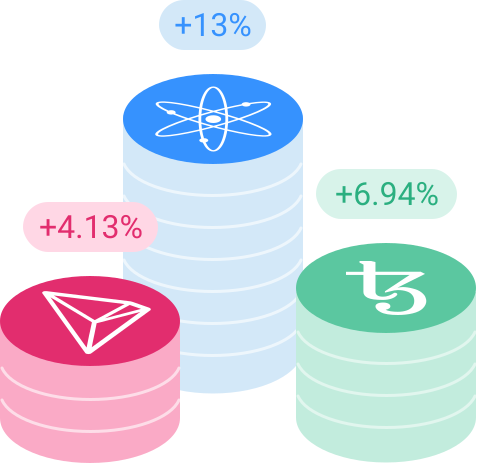
One of the most common TRON wallet use cases is staking. Users can lock or freeze TRX to participate in the network and receive network-related benefits or rewards, depending on the wallet and staking model. For many users, staking is an important feature when choosing the best TRON wallet.
Using TRON dApps
TRON wallets can also be used to connect to decentralized applications. This includes DeFi services, blockchain games, NFT-related platforms, and other Web3 tools built on TRON. Wallets with dApp connectivity are especially useful for users who want to go beyond storage and actively use the ecosystem.
Sending and receiving TRX
A core use case of any TRON wallet is sending and receiving TRX. TRON is widely known for fast transactions and low fees, which makes TRX wallets practical for everyday transfers between personal wallets, exchanges, and other crypto platforms.
Managing a broader crypto portfolio
Some users do not want a wallet only for TRX. They want one application that can store TRON together with Bitcoin, Ethereum, BNB, stablecoins, and other digital assets. In this case, a multi-currency wallet can be a more convenient choice than a wallet focused only on the TRON ecosystem.
How to Choose the Right TRON Wallet
The right TRON wallet depends on your priorities. Some wallets are better for simple storage, while others are better for staking, Web3 access, or managing multiple cryptocurrencies in one place.
Choose a wallet like Atomic Wallet if you want:
- One place to manage TRX and many other assets
- A simple interface for everyday use
- Built-in swaps and additional wallet features
- A non-custodial wallet for long-term control
Choose a wallet like TronLink if you want:
- Frequent access to TRON dApps and Web3 tools
- A wallet focused mainly on the TRON ecosystem
- Browser-based interaction with decentralized platforms
- A product built around TRON-specific on-chain activity
If your goal is secure storage with flexible portfolio management, Atomic Wallet is a strong choice. If your main priority is direct interaction with TRON dApps, a TRON-focused wallet such as TronLink may be more suitable.
Frequently Asked Questions
What is the best TRON wallet?
The best TRON wallet depends on your goals. Some users want simple storage, others want staking, swaps, or access to decentralized applications. For users looking for a balance of security, convenience, and multi-asset support, Atomic Wallet is one of the strongest options.
Is Atomic Wallet good for TRX?
Atomic Wallet is a good option for users who want to store, manage, and exchange TRX in a non-custodial wallet. It is also useful for people who prefer to manage TRON together with other cryptocurrencies in one place.
What is the difference between Atomic Wallet and TronLink?
Atomic Wallet is designed as a multi-currency wallet with built-in asset management features, while TronLink is more focused on direct interaction with the TRON ecosystem and decentralized applications.
Can I use a TRON wallet for staking?
Yes, many users choose a TRON wallet specifically for staking-related use cases. The exact staking experience depends on the wallet, but staking support is one of the most important features people look for when comparing TRON wallets.
Which TRON wallet is best for dApps?
Users who spend a lot of time interacting with TRON dApps often prefer wallets that are closely connected to the TRON ecosystem. Users who prioritize storage, convenience, and multi-asset management may prefer a broader wallet solution instead.
Get a TRX wallet today
If you aspire to be part of the TRON community and seek a secure and decentralized approach, a TRON wallet is the optimal choice. While a decentralized swap might offer convenience for day trading, a wallet is a superior solution for long-term investments and potential crypto staking.
You can effortlessly manage your TRON coins by opting for the Atomic TRX Wallet. This user-friendly app allows you to create a wallet seamlessly and purchase TRX and numerous other tokens or coins. Additionally, the app facilitates easy exchanges when necessary. The Wallet Connect feature enables TRX exchanges on another platform for mobile users.
Whether you prefer to obtain the app from Google Play, Appstore, or our website, you can join the vast community of millions of TRON users immediately! Embrace the benefits of a secure and feature-rich TRON wallet to support your crypto journey.


