Magic Eden Wallet Shutdown: How to Export Private Key and Migrate
Magic Eden is shutting down its wallet and scaling back several products as part of a broader shift in focus. The shutdown is happening in phases, with clear deadlines users need to be aware of.
- March 9, 2026 — EVM and Bitcoin marketplaces closed
- March 27, 2026 — Bitcoin APIs and services discontinued
- April 1, 2026 — Wallet removed from App Store and no longer supported (export-only mode)
- May 1, 2026 — Full wallet shutdown, app may stop functioning entirely
Until April 1, the wallet continues to work normally, including swaps and cross-chain actions. After that, functionality is limited — and the only critical action left is exporting your private key.
What Happens If You Don’t Export Your Private Key
If you don’t export your private key before the shutdown, you risk losing access to your wallet.
After May 1, the Magic Eden Wallet may no longer function — even if it is already installed on your device. Without access to the app and without your private key, there is no way to restore the same wallet or access its assets.
This is the key difference: your assets remain on-chain, but your ability to access them depends entirely on whether you’ve saved your private key. Exporting your private key ensures you can restore the same wallet, with the same address and assets, in another compatible wallet.
Private Key vs Seed Phrase — What You Actually Need
When migrating from Magic Eden, understanding the difference between a seed phrase and a private key is critical. While seed phrases are commonly used for wallet recovery, they do not always reproduce the same address structure across wallets — especially on Solana.
Why Exporting Your Private Key Is Required
Exporting your private key ensures continuity — not just access.
When you import a private key into another wallet:
- you restore the same wallet address
- your assets remain exactly where they are
- no transfers or migrations on-chain are needed
This is different from creating a new wallet or moving funds manually. You are simply reconnecting to your existing on-chain identity. Because Magic Eden Wallet will stop functioning after May 1, exporting your private key is the only way to guarantee uninterrupted access to your assets moving forward.
How to Export Your Private Key from Magic Eden
Exporting your private key is the most important step before the shutdown. Without it, you won’t be able to restore access to your wallet later.
Step-by-Step Export
- Open Magic Eden Wallet
- Go to Settings → Security / Backup
- Select Back Up
- Access the Private Key section
- Choose the network (if required)
- Tap View Key and reveal the full private key
- Write it down manually and store it securely
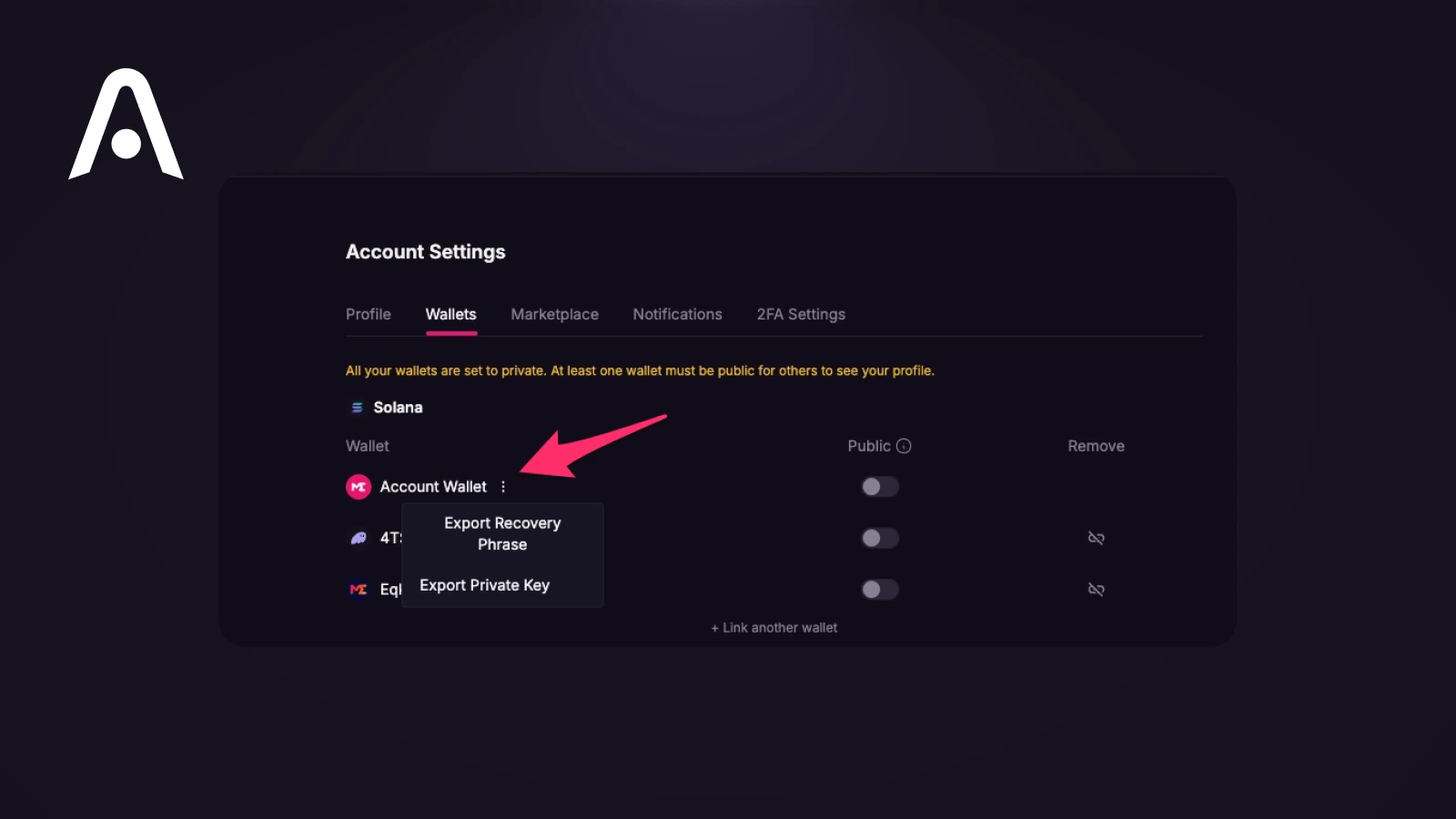
For security reasons, copying the private key is usually disabled. Make sure you record it exactly as shown — it is case-sensitive. Never share your private key. Anyone with access to it can fully control your wallet and assets.
What to Do Before May 1, 2026
The shutdown timeline is strict, so it’s important to act early and avoid last-minute issues.
Before May 1, you should:
- export and securely store your private key
- complete any swaps or asset consolidation before April 1
- verify that your key restores access in another wallet
- ensure you can see all balances and assets after import
Completing these steps early guarantees that you won’t lose access when the Magic Eden Wallet stops functioning.
Where to Migrate After Magic Eden Wallet Shutdown
After exporting your private key, the next step is restoring access in another wallet that supports private key imports and the networks you use.
In practice, you need a wallet that:
- supports Solana and relevant ecosystems
- allows direct private key import (not just seed phrase)
- maintains the same wallet address after import
- provides clear asset and token management
Several wallets can replace Magic Eden depending on your use case:
- Phantom — strong default for Solana users, simple UX and NFT support
- Solflare — another Solana-native wallet with staking and ecosystem tools
- MetaMask — works for EVM assets, but does not cover Solana natively
- Rabby — improved EVM experience, still limited outside EVM
Each option is optimized for a specific ecosystem. If your assets span multiple networks, using separate wallets may become fragmented.
Recommended Option: Atomic Wallet
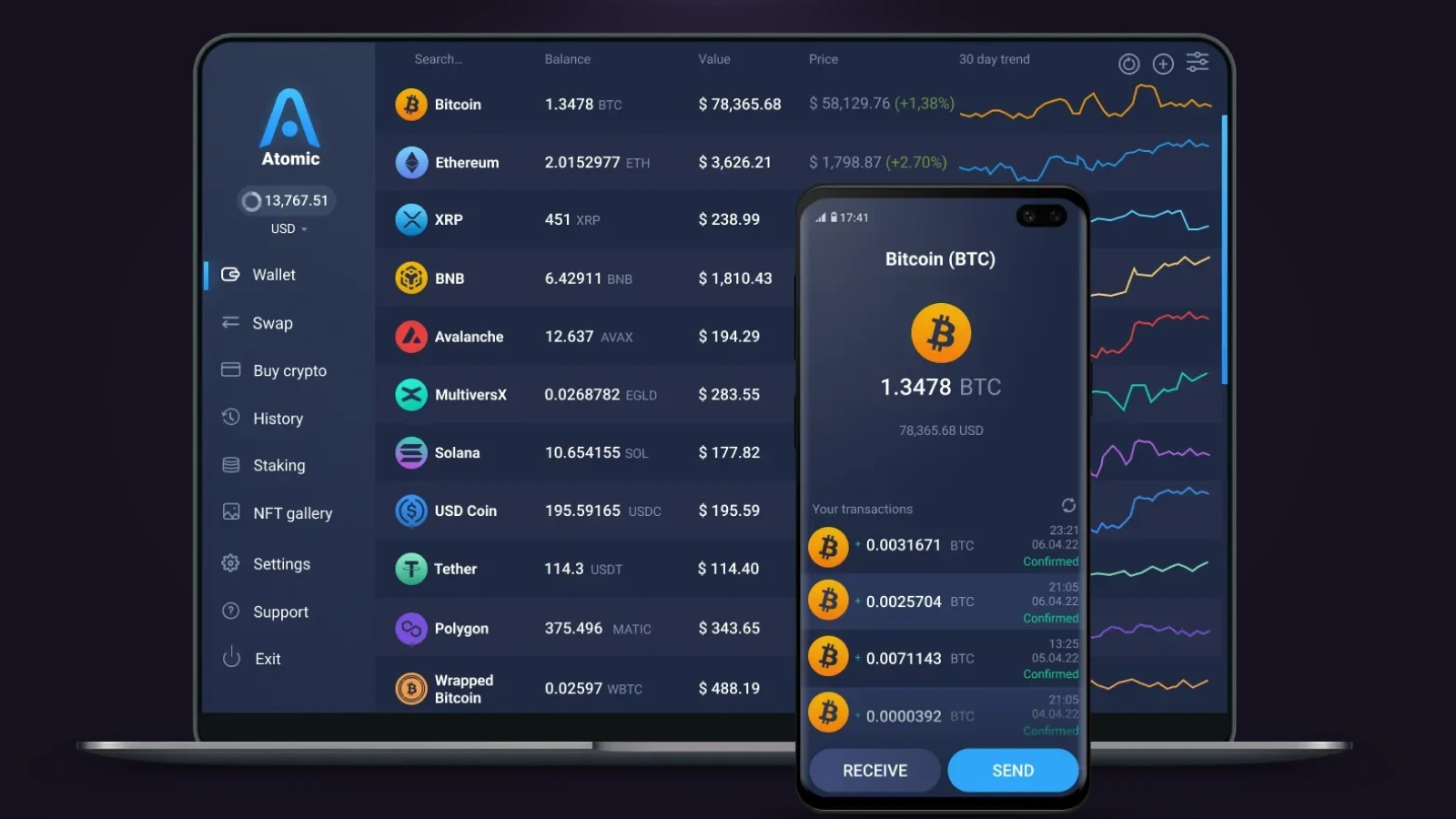
For users who want a more unified setup, restoring your wallet in Atomic Wallet is a practical next step.
It supports multi-asset management and allows you to import your wallet using a private key, giving you continued access without moving funds or changing addresses.
How to Continue in Atomic Wallet
- Download and install Atomic Wallet
- Open the app and select “Restore Wallet”
- Choose import via private key
- Enter your private key exactly as saved
- Set a new password and access your wallet
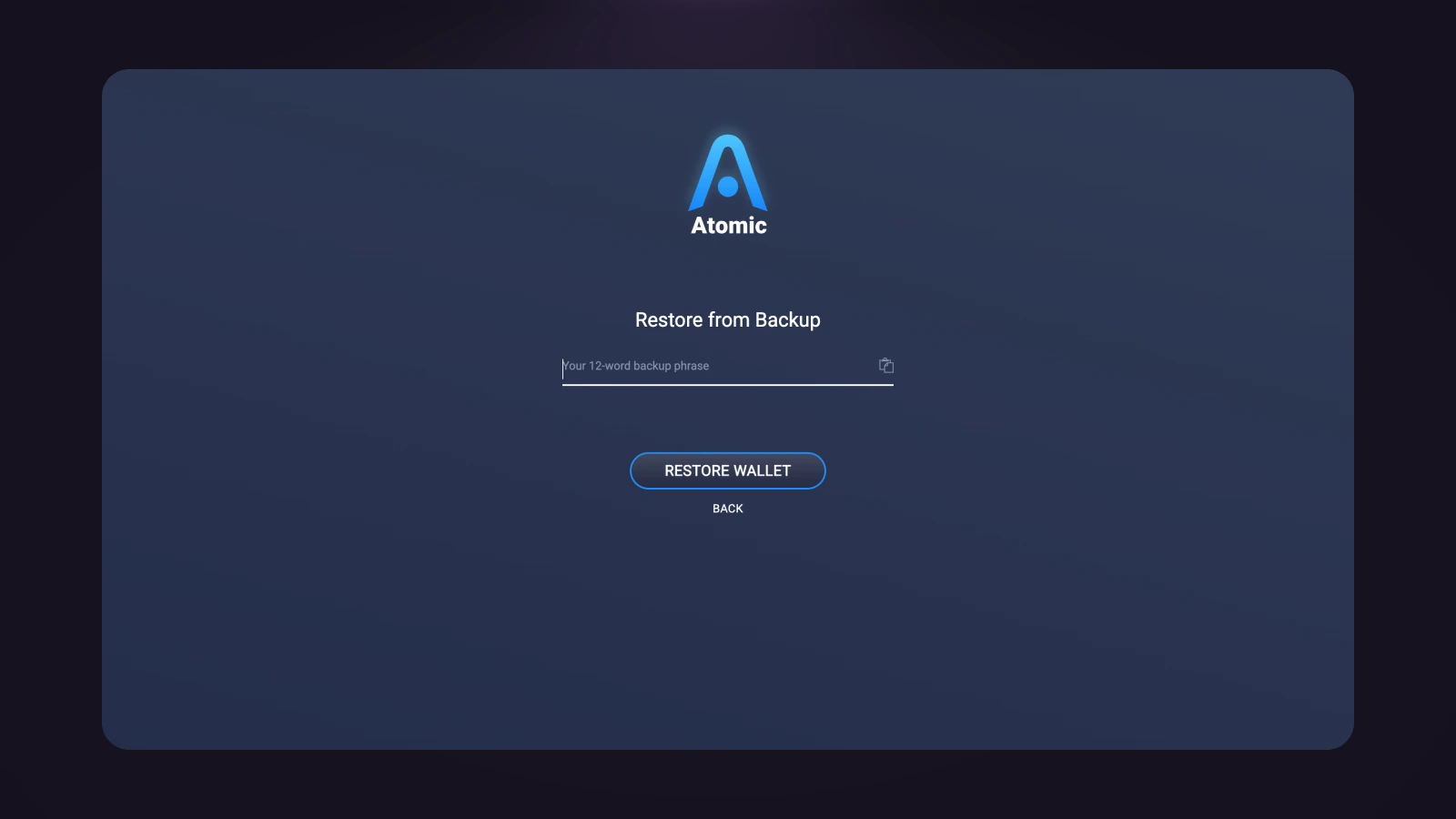
Once imported, your assets remain tied to the same address. If some tokens are not immediately visible, they can be added manually — they are still on-chain.
Common Issues After Import (And Fixes)
After importing your private key, your wallet is restored — but some details may not appear as expected at first.
Different address appears
If you imported a seed phrase instead of a private key, you may see a different wallet address — especially for Solana. Use the private key to restore the exact wallet.
Tokens not showing
Some wallets do not display all assets by default. You may need to manually add tokens or enable them in settings.
Wrong network selected
Make sure you imported the private key for the correct network. Selecting the wrong network can result in missing balances. In all cases, your assets remain on-chain — correct import and configuration will restore visibility.
What Happens After the Shutdown
After May 1, 2026, the Magic Eden Wallet will no longer be supported and may stop functioning entirely. Even if the app is still installed on your device, you may not be able to open it or interact with your wallet. Magic Eden will not provide recovery support or access after the shutdown.
Your assets are still on-chain — but access depends entirely on whether you exported your private key in advance. If you have your private key, you can restore your wallet in another compatible app at any time. If you don’t, there is no way to recover access.
Conclusion
Magic Eden Wallet shutdown is not just a product update — it’s a hard deadline for action. Your assets remain on-chain, but access to them depends entirely on one thing: whether you exported your private key before the wallet stops working.
The process is straightforward: export your private key, restore it in another wallet, and continue using the same address without moving funds. The risk comes from delay. After May 1, the wallet may no longer function — and without your private key, access cannot be recovered.
In this case, control comes down to preparation: secure the key — keep access to your crypto.