Hot Wallet vs Cold Wallet: Differences and How to Choose
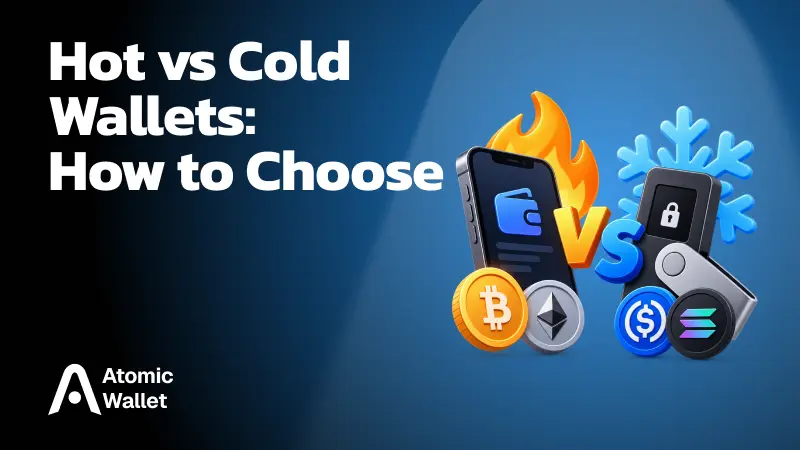
A hot wallet makes crypto easy to access, while a cold wallet keeps the keys that authorize transactions isolated from an internet-connected device.
The choice matters most when you need to send funds. A hot wallet lets you act directly from an app. A cold wallet adds a separate signing step that reduces exposure to remote attacks. Many people use one for regular activity and the other for assets they rarely move.
Hot Wallet vs Cold Wallet: Key Differences
The key difference is where your private keys are kept when transactions are signed.
Neither wallet holds coins inside the app or device. Your assets remain on the blockchain, and the wallet manages the keys that let you control them. Both can receive crypto at a public address, and both pay the applicable network fee when sending. A cold wallet changes how you approve a transaction; it does not make the blockchain process it more slowly.
What Is a Hot Wallet?
A hot wallet is a wallet whose signing keys are used on a device that can connect to the internet.
That makes it convenient for regular activity: open the app, review a transaction, and send it. Depending on the wallet, you may also be able to swap assets or interact with Web3 services without using a separate signing device.
Common forms include:
- Mobile wallet apps
- Desktop wallet apps
- Browser extensions
A self-custody hot wallet can keep your keys encrypted on your own device. Hot does not mean your keys are public or stored on a company’s server. It means the device holding them can interact with the online world. Closing the app or briefly turning off Wi-Fi does not turn an existing hot wallet into cold storage.
What Is a Cold Wallet?
A cold wallet keeps its signing keys isolated from the internet-connected device used to prepare and broadcast transactions.
A hardware wallet is the most familiar example. You can use an app on your computer or phone to view balances and prepare a transfer, while the hardware device keeps the keys and signs the transaction. An offline computer can serve a similar purpose when set up for offline transaction signing.
Sending typically works in three steps:
- Prepare the transaction on a connected device
- Check its details and approve it on the isolated signing device
- Broadcast the signed transaction through the connected device
Connecting a hardware wallet by USB or Bluetooth does not automatically expose its keys to the computer or phone. The point of the setup is that the keys stay inside the signer, even while the connected app communicates with the blockchain.
Is a Cold Wallet Safer Than a Hot Wallet?
A properly set up cold wallet offers stronger protection against remote theft of private keys because those keys stay isolated from the connected device.
Malware on a phone or computer can target the data held by a hot wallet. With a cold wallet, the connected app can prepare a transaction, but it should not be able to extract the signing key from the separate device.
That protection has limits:
- Anyone who obtains your recovery phrase may be able to restore the wallet elsewhere
- A transfer you approve can send funds to the wrong address
- A malicious smart contract approval can put assets at risk even when the key remains secure
- Losing both the device and its valid backup may leave you unable to recover access
Check the recipient and amount on the signing device itself whenever it displays them. For contract interactions, take extra care with requests whose effect you cannot clearly verify. Cold storage protects the key; you still decide what the key authorizes.
The 2025 Bybit breach shows why the signing process matters. Attackers manipulated the interface used for an institutional cold wallet transfer, and signers approved a malicious operation. Bybit reported a $1.46 billion loss. Isolated keys cannot make a transaction safe when its approval is deceptive.
Hot vs Cold Is Different From Custodial vs Self-Custody
Hot and cold describe how keys are isolated. Custodial and self-custody describe who controls them.
You can control your own keys in a hot wallet app or on a cold hardware device. In both cases, protecting the backup and approving transactions are your responsibility.
An exchange account works differently. The exchange controls the keys and may use a mix of hot wallets for operations and cold storage for reserves. You can log in to manage your account, but that does not give you direct control of its private keys. When choosing where to keep your crypto, consider both questions: who can access the keys, and where are those keys exposed?
Which Wallet Should You Use?
Use a hot wallet for crypto you move regularly and a cold wallet for holdings you expect to leave untouched for longer.
The decision depends on how often you need access and what would happen if that wallet were compromised:
- Frequent transfers, swaps, or other regular activity: A hot wallet keeps these actions accessible from your phone or computer
- Infrequent transfers or holdings you want to keep more isolated: A cold wallet adds a separate signing step and reduces the key’s exposure to remote attacks
The coin itself does not determine the choice. You can hold BTC, ETH, or supported tokens under either type of wallet. Before choosing a cold device, check that it supports the assets, networks, and actions you need. There is no useful percentage that fits every portfolio; keep readily accessible what you expect to use, and decide separately how to protect the rest.
How to Use Hot and Cold Wallets Together
Keep separate wallets for active funds and long-term holdings, each with its own keys and backup.
For example, you might keep enough in a hot wallet for upcoming transfers while holding assets you rarely move under a cold key. You can send more to the hot wallet when needed. A cold wallet can also send directly after you approve the transaction on its signing device; moving funds through a hot wallet is not a required step.
The backups must be separate for this setup to provide real isolation. Installing the same recovery phrase in both a hot app and a hardware wallet gives both access to the same keys. Protect each backup, keep the cold wallet’s phrase offline, and verify the receiving address and network whenever you move assets between them.
How to Move Crypto From a Hot Wallet to a Cold Wallet
Create a cold wallet with a new recovery phrase, then send your crypto to addresses controlled by its new keys.
Restoring your existing hot wallet phrase on a hardware device gives that device access to the same addresses. It does not remove any earlier exposure of the phrase. To establish separate cold storage:
- Set up a new wallet on the cold device: Generate a fresh backup using the device’s official setup process and record it offline
- Check asset and network support: Confirm the cold wallet supports what you plan to move, then get the correct receiving address and verify it through the device’s trusted confirmation flow
- Send a small test transfer: Use your hot wallet to send a small amount on the intended network and confirm that it arrives
- Move the remaining assets: Transfer each supported coin or token to its appropriate address and check the balances afterward
Each on-chain transfer may require a network fee. Tokens usually need the network’s native coin to pay that fee. NFTs, staked assets, and DeFi positions may require separate steps, so review everything tied to the old wallet before treating the move as complete.
Mistakes That Defeat Cold Storage
Keeping a key offline helps only while its backup stays private and you carefully review what you sign.
Common mistakes include:
- Restoring an old hot wallet phrase on a hardware device: The old phrase can still unlock the same funds elsewhere
- Entering a cold wallet phrase in a phone app, website, or cloud note: This exposes the backup to an online environment
- Checking an address only on the computer screen: A compromised computer can show you one address while preparing a transaction to another
- Approving a transaction you do not understand: An isolated key can still authorize a harmful transfer or contract permission
- Calling a paper backup a paper wallet: Writing down the recovery phrase for a hot wallet does not make its signing keys cold
For a cold wallet to serve as separate storage, protect the full path: how its keys are created, where the backup is kept, and what you approve with those keys.
Is Atomic Wallet a Hot or Cold Wallet?
Atomic Wallet is a self-custody hot wallet designed for regular access to your crypto.
With our desktop and mobile apps, you can send, receive, swap, and stake supported assets while controlling your own keys. Your wallet data is kept locally on your device, and your 12-word backup phrase lets you restore access if you lose that device. Protect the phrase offline: the app password does not replace it.
If you also use cold storage, create a separate wallet with a fresh backup and transfer the assets you want to keep under its keys. Atomic Wallet does not offer a direct connection to Ledger or Trezor, so you manage the two wallets separately. This lets you use Atomic for regular activity while keeping other holdings under an isolated key.
Manage crypto your way with Atomic Wallet. Send, receive, swap, and stake supported assets in one self-custody app while keeping control of your keys.