How to Stake Crypto: A Step-by-Step Guide for Beginners
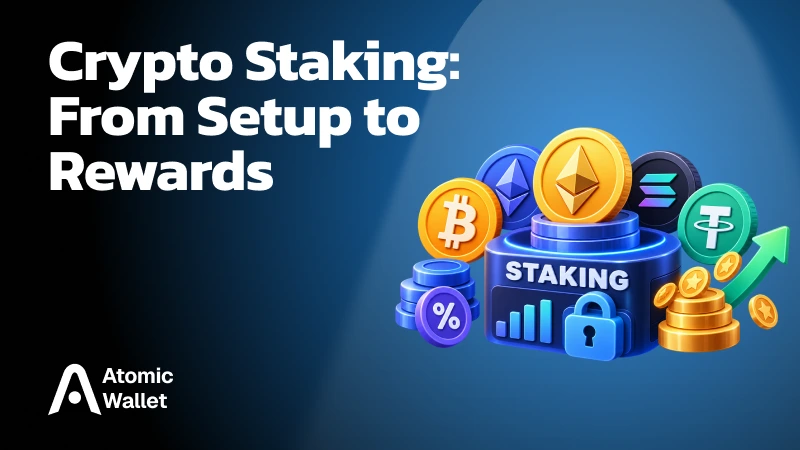
To stake crypto, choose a supported cryptocurrency, select a staking method, and use a compatible wallet or platform to commit your assets. Before confirming, check the minimum amount, fees, reward schedule, and withdrawal conditions. Once your stake becomes active, you can earn rewards for helping secure the network.
You don’t need to run a validator yourself. Many holders stake through a wallet, a staking pool, or an exchange. Each route offers different levels of control and flexibility: some assets remain spendable, while others require a waiting period before you can withdraw them.
This guide walks you through choosing a method, making your first stake, tracking rewards, and withdrawing your crypto.
What Is Crypto Staking?
Crypto staking lets you participate in securing a proof-of-stake blockchain and earn cryptocurrency rewards in return.
Validators operate the infrastructure that checks transactions and helps the network agree on new blocks.
Most users participate through an existing validator or staking service. On networks that support native delegation, you assign your stake to a validator without running its hardware. Other options pool users’ assets or manage staking through a custodial account.
Rewards depend on the network’s rules, validator performance, and provider fees. They may come from newly issued coins and transaction-related revenue, with the exact distribution varying by network.
Staking does not always lock your coins: natively delegated ADA, for example, remains spendable. It also does not guarantee a profit. You may accumulate more tokens while their market value falls.
Choose How You Want to Stake
Your staking method determines who controls your assets, how rewards reach you, and what it takes to withdraw.
Most beginners use native delegation, liquid staking, or a custodial platform.
A wallet can offer more than one method. Native delegation and liquid staking may appear in the same app, but they create different positions with different exit procedures.
Before choosing, check both custody and liquidity. Keeping control of your wallet does not necessarily mean your staked assets are immediately available to spend.
What You Need Before Staking Crypto
You need a supported asset on the correct network, a compatible wallet or account, and enough available funds to cover any required fees.
Check these details before committing:
- Asset and network: confirm that your coins are eligible for the chosen staking route. A wrapped or bridged version may not work with the same staking mechanism as the native asset
- Wallet or platform: verify support for your asset and staking method. For self-custody, secure your recovery phrase offline. Custodial services may require identity verification and restrict access by location
- Minimum amount: check the requirement for your specific method. A network’s validator minimum can differ substantially from a pool’s or platform’s entry requirement
- Available fee balance: for onchain staking, leave enough of the required network token unstaked to pay for later actions, such as claiming rewards or withdrawing
- Rewards and exit terms: review the estimated APR or APY, whether provider fees are already deducted, when rewards begin, and how long unstaking takes
Decide how much you can commit based on those exit conditions. If you may need the funds soon, a withdrawal queue or unbonding period matters more than a slightly higher advertised yield.
How to Stake Crypto Step by Step
To stake crypto, select a supported asset and staking method, prepare your funds, review the terms, and confirm the operation.
These steps cover the wallet and platform routes most beginners use.
- Choose your asset and network. Check that your cryptocurrency supports the staking method you intend to use. When transferring funds, make sure the receiving wallet or platform supports the selected network
- Select a wallet, protocol, or platform. Decide whether you want native delegation, a liquid staking token, or staking managed through a custodial account. Use the provider’s official app or website
- Prepare your funds. Transfer the amount you intend to stake and check the minimum requirement. For onchain staking, keep a separate available balance for network fees
- Review the validator or service. Where validator selection is available, compare performance, commission, and operating history. For pooled or custodial staking, check who operates the validators, how fees are deducted, and which risks you accept.
- Enter the amount and review the terms. Check the estimated reward rate, transaction cost, activation period, and withdrawal conditions. Confirm whether the displayed yield already accounts for provider fees
- Confirm the staking operation. Review the request in your wallet or account before authorizing it. With liquid staking, understand which receipt token you will receive and how it can be redeemed
- Verify your position. Check that the operation succeeded and that your stake appears in the relevant dashboard. For onchain transactions, you can also inspect the transaction and position through a compatible block explorer
A confirmed transaction does not always mean rewards start immediately. Your stake may need to activate or pass through a network’s reward calculation cycle first.
How to Stake Crypto With Atomic Wallet
To stake SOL with Atomic Wallet, open Staking, select Solana, enter your amount, and confirm.
- Open Staking — Find it in the left sidebar on desktop or the bottom navigation on mobile
- Select SOL — Choose Solana and click or tap Stake
- Enter your amount — Leave some SOL unstaked so you can pay transaction fees when you exit
- Review and confirm — Check the amount and fee, then enter your wallet password and confirm
- Track your stake — Check your position in the staking section and allow time for activation before expecting rewards
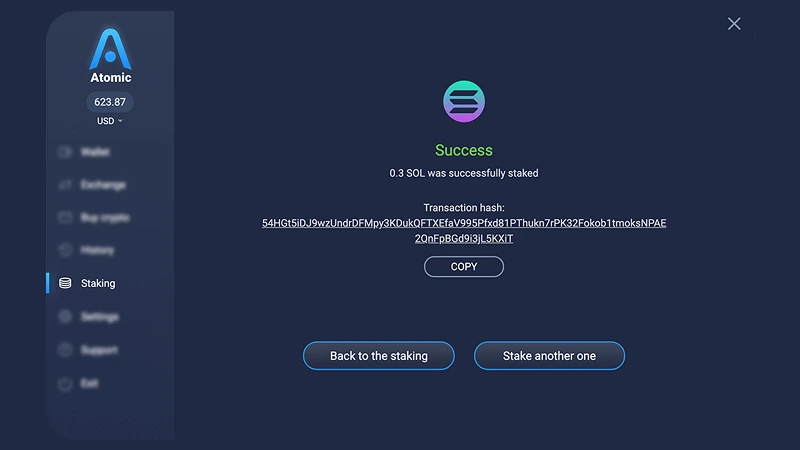
SOL rewards are automatically added to your staked balance, so there’s no separate claim step. Each additional stake creates a separate delegation that you manage individually. Our Solana staking guide covers the full process, including unstaking and withdrawal.
Staking works differently across assets. For example, when you stake ETH with Atomic Wallet, you receive stETH through Lido. Always check the selected asset’s fees, reward mechanism, and exit conditions before confirming.
How Much Can You Earn Staking Crypto?
Staking earnings depend on the asset, network conditions, validator performance, and fees—not just the percentage shown in your wallet. Reward rates can change while your assets are staked.
Two common measures help describe those earnings:
- APR: an annualized reward rate without compounding
- APY: an annualized yield that accounts for compounding under specified assumptions
Compounding happens when rewards become part of the balance earning future rewards. Some staking methods handle this automatically; others require you to claim and stake rewards again, potentially paying additional fees.
Validator commission also affects your return. Suppose you stake 1,000 tokens at a constant 8% gross APR for one year. That would generate 80 tokens before fees. If the validator takes 5% of those rewards, you receive 76 tokens—a 7.6% return before transaction costs. If the displayed rate already includes commission, do not deduct it again.
Use the estimated rate to understand potential token rewards, then consider fees, withdrawal restrictions, and price exposure separately.
When and How Do You Receive Staking Rewards?
Your first staking reward may arrive later than subsequent payouts because activation and reward calculation take time. A successful staking transaction confirms the operation, but your position may still be waiting to become eligible for rewards.
Once rewards begin, the way you receive them depends on the staking mechanism.
Claiming rewards is not the same as compounding them. A claim may only move rewards into your available balance. Unless the network or service automatically includes that balance in staking, earning rewards on it requires another step.
Before assuming rewards are missing, check your position’s activation status, payout schedule, and reward mechanism. A growing staking position does not always produce a new incoming transaction in your wallet.
How to Unstake and Withdraw Your Crypto
To exit staking, request an unstake or undelegation, wait for any required release period, and withdraw the funds if your wallet requires a separate step.
The exact process depends on the network and staking method. Some assets remain spendable while delegated, while others become available only after an unbonding period or exit queue.
Three actions are easy to confuse:
An unbonding period generally starts when you request an exit. For example, staking ATOM for several months does not eliminate its 21-day unstaking period. The amount being unstaked does not earn staking rewards during that wait. See our ATOM staking guide for the full process.
With SOL in Atomic Wallet, you first request unstaking. Once the funds appear under Available withdrawals, select Withdraw to move them back to your available SOL balance. Keep enough unstaked SOL to cover transaction fees.
Liquid staking offers another route: you can request redemption through the protocol or sell the liquid staking token on the market. Redemption follows the protocol’s withdrawal process; selling depends on available liquidity and the market price. A faster exit may therefore return less than the underlying position’s expected value. Lido’s withdrawal documentation explains these two options.
What Are the Risks of Staking Crypto?
Staking can increase your token holdings while exposing you to price losses, withdrawal delays, validator penalties, and risks associated with your chosen service.
The combination matters. A falling market becomes harder to react to when your assets are waiting to unstake, while a liquid staking token introduces risks beyond those of the underlying blockchain.
The main risks include:
- Price volatility — Rewards do not protect the market value of your holdings, and a price decline can outweigh the tokens you earn
- Restricted access — Unbonding periods and exit queues can prevent you from selling or transferring assets when you want
- Validator performance and penalties — Poor performance can reduce rewards, while certain violations can trigger slashing on networks that implement it
- Custodial risk — A platform holding your assets may restrict withdrawals or experience operational, security, or financial problems
- Smart contract risk — Bugs or exploits in staking protocols can affect deposited funds or the tokens representing them
- Liquid staking token pricing — An LST may trade below its underlying redemption value, particularly when many holders want to exit
- Changing rewards and fees — Network participation, issuance, validator commission, and provider terms can change your net earnings
Slashing is not universal. Ethereum distinguishes ordinary downtime penalties from slashable violations, while Cardano does not slash natively delegated ADA. The absence of slashing does not remove price or wallet-security risks.
Your staking method determines which additional risks you accept. Native delegation, liquid staking, and an exchange staking account can all generate rewards, but they rely on different controls and exit mechanisms. Compare those conditions alongside the advertised yield.
Common Staking Problems and What to Check
Missing rewards or unavailable funds do not always indicate a failed staking operation. Activation periods, payout schedules, and separate withdrawal steps can explain what you see.
Start by checking the transaction status and your staking position. A confirmed transaction shows that the network processed the operation; it does not necessarily mean your stake is active or ready to withdraw.
For onchain staking, a compatible block explorer can help confirm the transaction and inspect the position independently of the wallet display. For custodial staking, check the platform’s activity history and payout schedule.
If the expected waiting period has passed, contact support through the provider’s official website or app. Never share your recovery phrase or private keys to resolve a staking issue.
Ready to put what you’ve learned into practice? Explore staking with Atomic Wallet to find supported assets, review their staking conditions, and manage your stake and rewards in one app.