What Is a Web3 Wallet? Meaning, Uses and Security
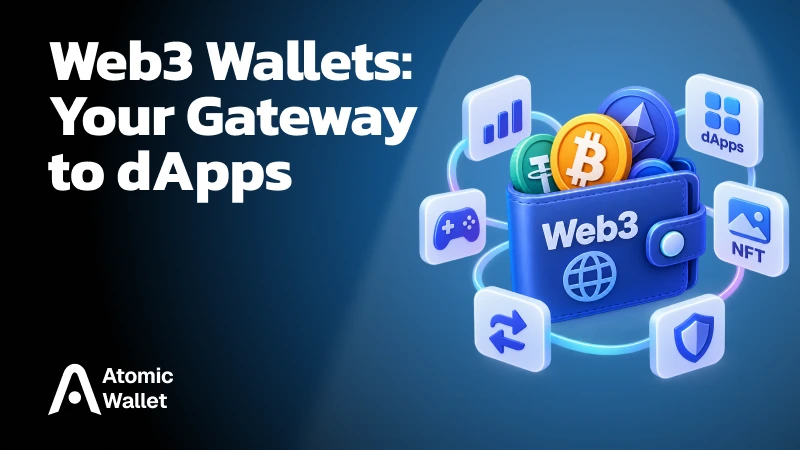
A Web3 wallet is the authorization layer between you, your blockchain account, and decentralized applications, letting you manage assets, connect to dApps, and approve onchain actions without handing over your private key.
Despite the name, a wallet does not literally store your crypto. Your assets remain recorded on the blockchain; the wallet manages the keys, accounts, and signing authority that let you control them.
That is what makes a Web3 wallet different from a simple balance viewer. It can act as your account across DEXs, DeFi protocols, NFT marketplaces, games, and other dApps — usually without creating a separate username and password for each service.
Connecting to an app also does not automatically give it control of your funds. In a typical wallet connection, the dApp gains access to your selected public address and can read related public blockchain data. Moving tokens requires an additional approval or signed transaction.
Web3 wallets are already a major access layer for onchain apps. WalletConnect reports more than 54 million unique active wallets and over 380 million wallet-to-app connections across 80,000+ apps.
How Does a Web3 Wallet Work?
A Web3 wallet receives requests from dApps, shows them to the user, and uses the wallet's signing authority to authorize approved actions on the blockchain.
For example, suppose you want to swap tokens on a decentralized exchange:
- Connect the wallet — The dApp requests access to your selected blockchain account and public address
- Choose an action — You select the tokens and amount you want to swap
- The dApp prepares a request — Its smart contracts determine what transaction or permission is required
- Your wallet displays it — You review the network, contract, token, amount, fees, and permissions
- You authorize the action — The wallet creates a cryptographic signature using your signing authority
- The transaction is submitted — The blockchain verifies the signature and executes the smart-contract logic if the transaction is valid
- The blockchain state changes — Your updated balance or position is reflected in the wallet and dApp
The private key itself does not need to be sent to the dApp. Ethereum's wallet-based authentication flow, for example, works by having the wallet sign a challenge internally while the application verifies that signature against the public address.
This makes the wallet more than a storage interface. It is the point where a proposed Web3 action becomes an authorized blockchain action.
That distinction also explains why wallet security is not only about protecting a seed phrase or private key. A perfectly secure key can still authorize a harmful transaction if the user signs a malicious or misleading request.
Connect vs. Sign vs. Approve: What’s the Difference?
Connecting, signing, and approving are different wallet actions with very different levels of access to your assets.
This distinction matters because connecting a wallet is not the same as giving a dApp permission to spend your crypto. MetaMask notes that a connected dApp can see the selected account and public onchain information, but moving tokens requires additional authorization.
Token approvals are not a theoretical risk. A 2026 international anti-fraud operation identified more than 20,000 victims of schemes including approval phishing and linked over $45 million in stolen crypto to related fraud.
Disconnecting a dApp does not automatically revoke its onchain permissions. If a contract no longer needs access to a token, the allowance must be reviewed and revoked separately.
Web3 Wallet vs. Crypto Wallet
A Web3 wallet is a type of crypto wallet designed for interacting with dApps and smart contracts as well as holding, sending, and receiving digital assets.
There is no separate cryptographic standard that makes something a “Web3 wallet.” The term mainly describes what the wallet is built to do.
For example, a wallet designed only to receive, store, and send Bitcoin is still a crypto wallet, but it would not normally be described as a Web3 wallet. A wallet that can connect to decentralized exchanges, lending protocols, NFT marketplaces, and other dApps fits the Web3 category more clearly.
The distinction is therefore about interaction, not simply asset storage. A Web3 wallet extends the traditional crypto-wallet model into an interface for using onchain applications.
What Can You Do With a Web3 Wallet?
A Web3 wallet lets you use blockchain applications with the same account you use to hold and manage crypto.
Common use cases include:
- DEX swaps — Connect to a decentralized exchange, approve token access when needed, and sign swaps directly from your wallet
- DeFi lending and borrowing — Deposit collateral, supply assets, borrow, repay, or withdraw through smart contracts
- NFTs — Mint, buy, sell, and transfer NFTs through compatible marketplaces and apps
- Web3 games — Sign in with a wallet and manage blockchain-based assets or in-game actions
- Governance — Sign votes or submit onchain governance transactions
- Web3 login — Prove control of an address by signing a message instead of creating another username and password
The wallet does not perform all of these services itself. It acts as the account and authorization layer, while the dApp or protocol provides the exchange, lending market, game, marketplace, or other functionality.
That distinction is important for security as well: using a reputable wallet does not automatically make every dApp connected to it trustworthy.
Types of Web3 Wallets
Web3 wallets can protect and authorize accounts in several different ways, so a 12- or 24-word seed phrase is no longer a universal feature.
The main wallet architectures include:
- Private-key and seed wallets — Traditional self-custody wallets where recovery is commonly based on a seed phrase
- Hardware wallets — Keep signing keys on a dedicated physical device and authorize Web3 transactions through compatible software
- MPC wallets — Split signing authority between multiple cryptographic shares rather than relying on one complete private key in one place
- Smart accounts — Blockchain accounts with programmable rules that can support features such as transaction batching, spending limits, alternative recovery, or sponsored gas
- Embedded and passkey wallets — Integrate wallet access directly into an app and may use familiar authentication methods instead of exposing a traditional seed phrase to the user
These categories can overlap. A wallet may combine passkeys with a smart account, or use MPC while still providing self-custody characteristics depending on how control and recovery are designed.
The important question is therefore not simply “Does this wallet have a seed phrase?” but “Who can authorize transactions, and what is required to recover access?”
That distinction has become more important as Web3 wallets move from simple private-key containers toward programmable account systems with more flexible security and recovery models.
Are Web3 Wallets Safe?
A Web3 wallet can protect your keys and signing authority, but it cannot protect you from every malicious dApp, unsafe smart contract, or permission you choose to authorize.
The biggest risks are often not about someone “hacking the wallet” directly. They come from what the wallet is asked to sign:
- Malicious token approvals — A contract may receive permission to spend more tokens than the current action requires
- Blind signing — A wallet may show technical data that is difficult to understand, making it easier to approve a harmful transaction
- Fake dApps and phishing sites — A convincing frontend can send entirely different requests from the legitimate protocol it imitates
- Compromised recovery credentials — Anyone who obtains the private key, seed phrase, or equivalent recovery authority may gain control of the account
- Unsafe smart contracts — A correctly signed transaction can still interact with vulnerable or malicious code
- Persistent permissions — Some approvals remain active until explicitly revoked, even after the wallet is disconnected from the dApp
This is why the wallet confirmation screen matters. A secure key can still sign an unsafe transaction.
Clear Signing is one attempt to improve that last line of defense. Ethereum’s ERC-7730 initiative is designed to let wallets show human-readable actions such as “Swap 1,000 USDC for at least 0.42 WETH” instead of raw calldata or difficult-to-interpret contract fields. The Ethereum Foundation argues that many major exploits ultimately depend on a user approving a transaction they cannot meaningfully understand.
A good security rule is therefore broader than “protect your seed phrase”: understand what the wallet is authorizing before you sign it.
How Web3 Wallets Are Changing in 2026
Web3 wallets are evolving from simple private-key containers into programmable accounts that can batch actions, sponsor gas, recover access differently, and grant limited permissions to apps.
Ethereum’s 2025 Pectra upgrade also introduced EIP-7702, allowing traditional externally owned accounts to use smart-contract functionality. The Ethereum Foundation highlights capabilities such as transaction batching, gas sponsorship, and more flexible recovery, while native account abstraction remains a major protocol UX priority in 2026.
Programmable wallets are already operating at scale. Ethereum reports more than 26 million ERC-4337 smart wallets and over 170 million UserOperations.
Permissions are becoming more precise too. Instead of giving a dApp an open-ended token allowance, standards such as ERC-7715 can support rules like:
- Spend no more than 10 USDC per day
- Allow access only until a specified date
- Permit recurring payments within defined limits
- Automatically expire the permission
MetaMask already supports this model through Advanced Permissions for compatible dApps.
The direction is clear: modern Web3 wallets are becoming permission-management systems, not just tools for signing every transaction one by one. The challenge is making those capabilities easier to understand without hiding what the wallet is actually allowed to do.
How to Start Using a Web3 Wallet
Using a Web3 wallet starts with securing the account, choosing the correct blockchain, and learning to review connection, permission, and transaction requests before signing them.
A basic setup looks like this:
- Create or import a wallet — Set up a new account or restore an existing one using the wallet’s supported recovery method
- Secure recovery access — Store the seed phrase, recovery credentials, or other recovery method offline and never share it with a dApp or support account
- Fund the correct network — Add the crypto you want to use and keep enough of the network’s native asset available for gas where required
- Open the official dApp — Verify the domain rather than following unknown links from ads, DMs, or social posts
- Connect your wallet — Choose the account and network you want the application to see
- Review permissions separately — Check token allowances and other requested access instead of treating every wallet popup as the same action
- Read the transaction before signing — Confirm the contract, asset, amount, network, fees, and expected result
Atomic Wallet’s Web3 extension is one example of this model. It supports compatible EVM dApps, including DEXs such as Uniswap, PancakeSwap, and 1inch, while private keys remain encrypted on the user’s device.
The wallet is only one part of the security model. Self-custody gives you control over authorization; it does not make every dApp or smart contract trustworthy.